Technology· 10 min read· Dishment team
How much does restaurant POS software cost in Azerbaijan in 2026?
What a restaurant POS in Azerbaijan really costs: pricing models, tablet and printer prices in Baku, hidden fees, and a first-year budget in AZN for a cafe, a restaurant and a coffee bar.
Ask a vendor what a restaurant POS costs in Azerbaijan and you will usually hear one number. By the end of the first year, though, the total is noticeably higher: tablets, printers, setup, support, a fee for every new device, and the sales you lose when the internet goes down.
This guide breaks the price of a restaurant system into parts: what it is made of, which pricing models you will meet in Baku, what the hardware costs in local listings today, and what the first year looks like for three typical venues. At the end there is a list of questions to put to any vendor.
What a restaurant POS in Azerbaijan costs: the parts
The real cost of a POS system has four parts:
- Software. A licence, a monthly subscription or a fee per device, plus modules such as inventory, staff, QR menu and reports.
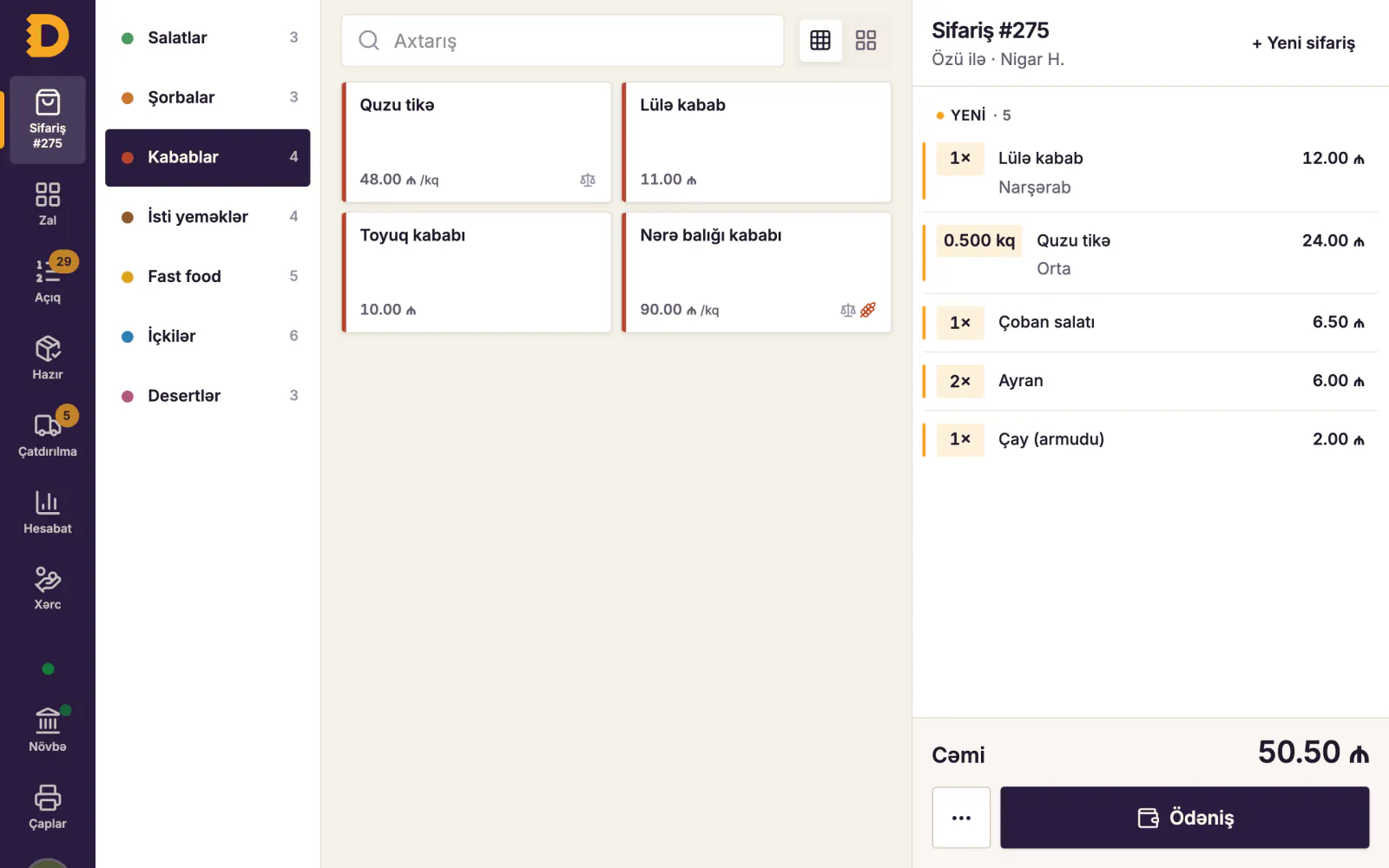
- Hardware. A computer, waiter tablets, receipt and kitchen printers, a kitchen display, a UPS and Wi-Fi.
- Setup. Building the menu, rooms, tables and printers, and training staff. Some vendors charge for this separately.
- Support and updates. Sometimes included, sometimes a yearly extra.
One important point: the fiscal cash register (NKA, e-kassa) is a separate cost. The device that sends fiscal receipts to the tax service, and its servicing, come from a registered e-kassa operator. The restaurant POS runs the floor, the kitchen, stock and reports. They are different tools and belong on separate lines of your budget.
Three pricing models in Baku
One-off licence
You buy the software once and use it for years. That sounds attractive, but updates and support are usually paid separately, and after a few years the version is outdated and you buy again. On local classifieds you will find "restaurant software" and "POS software" offered for anything from a few dozen to a few hundred manats as a one-off price (as listed in October 2026). At that price, always ask what is included: installation, updates, support, a kitchen display, remote access to reports.
Monthly subscription
You pay a fixed amount every month, with updates and usually support included. There is no big payment up front, and it is easy to walk away if the system does not suit you. The catch is that you pay for as long as you use it, so compare three years, not one month.
Per-device fees
The licence or subscription is charged for each till, waiter tablet or kitchen screen. The first quote looks small, then every new waiter or second kitchen station adds to the bill. Open a summer terrace with three extra tablets and your monthly payment jumps straight away.
| Model | Up front | Every month | Watch out for |
|---|---|---|---|
| One-off licence | Large payment | Support may be extra | Updates, an ageing version |
| Subscription | Small or none | Fixed amount | Three-year total, modules |
| Per device | Small | Grows with devices | Seasonal tablets, kitchen screens |
Hardware: prices in Baku in AZN
These prices come from listings we saw on Baku classifieds (lalafo.az) in October 2026. Treat them as a guide: prices vary by shop, warranty, and whether the device is new or used.
| Hardware | Used for | Listed price |
|---|---|---|
| Windows computer (new office PC) | Till and local server | about 800 AZN |
| Touchscreen POS all-in-one | Till, counter | 720–1,350 AZN |
| Android tablet (8–11 inch) | Waiter, kitchen display | 170–300 AZN |
| Thermal receipt printer (ESC/POS) | Receipts, kitchen tickets | 35–140 AZN |
| UPS 600 VA | Keeps the till on during power cuts | about 55 AZN |
A few practical tips:
- Be wary of systems that need branded terminals unless there is a clear reason. An ordinary Android tablet or any ESC/POS printer can be replaced from a local shop and connected in half an hour.
- Screen or printer in the kitchen is chosen per station. Paper tickets work well at the grill; a screen with timers suits the hot line.
- Don't skimp on a UPS. Short power cuts happen in Baku, and a 55-manat box costs less than the orders lost when the computer switches off.
- Check the Wi-Fi separately. Tablets need a signal in the far corner of the room and out on the terrace.
Hidden costs that don't show in the quote
- Per-device fees. Every extra tablet adds to the bill.
- Paid modules. Inventory, staff or a QR menu sometimes cost extra. That is normal, but get in writing what the base price includes.
- Installation and migration. Who enters the menu and connects the printers?
- Updates. Under a licence, a new version may cost money.
- Sales lost without internet. A cloud-only system stops when the connection drops. Say a 60-seat restaurant takes about 3,000 AZN in four hours on a Friday evening. One hour offline means roughly 750 AZN of orders on paper, plus mistakes and delays. We cover how to reduce this risk in offline POS for restaurants.
- Free "cracked" software. Searching for a free POS download is tempting, but such software comes with no support, no updates and no guarantee your data is safe.
Three scenarios: the first-year budget
The figures below are examples based on the listed prices above. We keep software as its own line because every vendor prices it differently.
First-year formula: hardware + setup + 12 × monthly software fee + NKA costs (at your operator's price).
1. A 20-seat cafe
| Hardware | Qty | Price |
|---|---|---|
| Windows computer (till and local server) | 1 | 800 AZN |
| Waiter tablet | 2 | 440 AZN |
| Receipt and kitchen printer | 2 | 200 AZN |
| UPS | 1 | 55 AZN |
| Hardware total | 1,495 AZN |
2. A 60-seat restaurant
| Hardware | Qty | Price |
|---|---|---|
| Windows computer or POS all-in-one | 1 | 800–1,000 AZN |
| Waiter tablet | 5 | 1,100 AZN |
| Printers: receipts, hot line, cold line, bar | 4 | 400 AZN |
| Large tablet for the kitchen display | 1 | 300 AZN |
| UPS | 2 | 110 AZN |
| Hardware total | 2,710–2,910 AZN |
This is where per-device fees bite: 5 tablets, a till and a kitchen screen make seven "devices".
3. A takeaway coffee bar
| Hardware | Qty | Price |
|---|---|---|
| Touchscreen POS all-in-one | 1 | about 900 AZN |
| Receipt printer | 1 | 100 AZN |
| "Order ready" screen for guests (tablet) | 1 | 220 AZN |
| UPS | 1 | 55 AZN |
| Hardware total | about 1,275 AZN |
Add twelve months of software and your NKA costs to these totals. Then run the same sum for years two and three: hardware is bought once, while the software fee repeats every year.
Comparing over three years: putting quotes side by side
Vendors present their offers in different shapes, so reduce them all to one formula: 3 years = upfront payment + 3 × annual support + 36 × monthly fee. The figures below are made up and are not the price of any real vendor, Dishment included; they only show how the sum works.
| Licence | Per-device subscription | |
|---|---|---|
| Upfront payment | 1,500 AZN | 0 |
| Annual support and updates | 400 AZN | included |
| Monthly fee (7 devices) | 0 | 7 × 25 = 175 AZN |
| Three-year total | 1,500 + 3 × 400 = 2,700 AZN | 175 × 36 = 6,300 AZN |
| +3 tablets for a summer terrace | no change | +75 AZN a month |
The table shows two things. First, the offer with the small monthly fee can be the most expensive over three years. Second, under per-device pricing, growth works like a penalty: every new tablet raises the bill. A licence has its own risk: if a new version costs extra in year three, the total changes at once. So ask every vendor for a written answer: what do I pay up front, per year and per month, and what changes when I add devices?
Questions to ask before you pay
- What will I pay in total over three years? Put it in writing.
- Is there a fee per tablet, till or kitchen screen?
- What does the base price include, and what is a separate module?
- Can I switch a module off later, and does the price go down?
- Do orders, the kitchen and payments keep working when the internet drops?
- Does it work with ordinary Android tablets and any ESC/POS printer?
- What do installation and menu migration cost, and who does them?
- When does support answer, and in which languages?
- If I leave, can I export my data to a file?
- Is there a free trial on my own hardware?
For the other selection criteria (kitchen, stock, permissions, reports), see our 12-point guide on how to choose restaurant management software.
How Dishment pricing works
Dishment keeps it simple: a monthly base plan per company plus only the modules you choose. There are no fees per tablet, till or screen, so the number of devices does not change the price. The base plan includes the till, waiter tablets, the kitchen display, offline mode, the menu and base reports. Inventory, staff, the QR menu and other modules are switched on when you need them and off when you don't.
The hardware is ordinary too: a Windows computer for the till and the local server (the hub), Android tablets or phones for waiters, and any ESC/POS thermal printer. The hub runs inside the venue, so orders, kitchen tickets and payments keep going without internet; see offline mode.
We don't print figures here because plan and module prices can change. You will find the current amounts on the pricing page: pick the modules and see the monthly total straight away. There is no setup fee, and there is a free trial.
DISHMENT
Try it free for 30 days
We open the account and move your menu over together. No card needed.
30 days freeFAQ
Can I download POS software for free?
Some vendors offer a free trial, which is the best way to test a system in your own venue. "Free POS software" found online, on the other hand, is usually an old version or software with no support and no updates. Don't trust it with your sales and stock data.
Is there a fee per tablet?
It depends on the vendor, so ask in writing. Dishment has none: the price is a base plan per company plus the modules you choose, and the number of devices doesn't change it.
Is the fiscal cash register (NKA) included in the price of restaurant software?
No. The NKA and its servicing come from an e-kassa operator and are a separate cost. Dishment does not issue fiscal receipts and does not replace an NKA; it works alongside the venue's own cash register.
What is the minimum hardware for a small cafe?
One Windows computer, one receipt printer and one tablet or phone. At listed prices that comes to about 1,000–1,150 AZN. Add tablets and a kitchen printer as you need them.
Is a licence or a subscription better value?
Compare three-year totals: licence plus updates plus support against 36 months of subscription. A subscription saves cash up front and is easy to leave; a licence only pays off if the system will run unchanged for many years.