Technology· 10 min read· Dishment team
Free restaurant POS software: what to check before you download
Can you download POS software for free, what cracked "full versions" put at risk, the limits and hidden costs of free plans and what to test during a free trial. With a checklist.
An owner who searches for "free POS software for restaurant" usually wants two things: to get started quickly and not to spend money they don't have to. The results are full of free downloads, archives with a "full version", till templates in Excel and sites promising a free plan. Some of these genuinely work; others stop on the first busy Friday or take your entire sales history with them.
This article covers the kinds of free POS software, the risk that comes with each, where the hidden costs are and how to test a system before you pay. To be upfront: Dishment isn't free software, but it has a 30-day free trial. The checklist below applies to any POS, ours included.
Is there such a thing as free restaurant POS software?
There is, but "free" covers very different things:
| Type | What it is | What to watch for |
|---|---|---|
| Completely free program | Simple sales software or an open-source project | Usually built for shops: no tables, waiters or kitchen tickets. No support |
| Free plan (freemium) | Core features free, the rest paid | Limits: one device, a cap on receipts, reports and export are paid |
| Free trial | The full product, free for a set time | What it costs afterwards and whether your data stays |
| Cracked or "free full version" | An unlicensed copy of paid software | Legal risk, malware, no updates or support |
| Excel or a notebook | Recording sales by hand | It's a report, not a till. Mistakes and theft stay invisible |
The key question for a restaurant isn't "is it free?" but "will it work in my dining room, my kitchen and my shift?". Free software written for retail usually has no table plan, no sending orders to the kitchen, no splitting bills and no modifiers.
Cracked software: why it is the most expensive option
An unlicensed copy looks free on day one. Here is what comes with it:
- Legal risk. In Azerbaijan, computer programs are protected as literary works under Article 6 of the Law on Copyright and Related Rights. Using unlicensed software can lead to a claim from the rights holder. Check the specific liability with a lawyer.
- Malware and data theft. Antivirus software often blocks "activators", so the owner switches the antivirus off. Yet the till computer holds staff details and your sales history.
- No updates. Windows updates, the printer changes, the program stays old. One day it simply won't start.
- No support. When the till goes down at 20:00 on a Friday, there's no one to call.
Download or cloud?
Behind "download POS software" there is often an old picture: the program goes onto one computer and everything stays there. Today there are three models:
| Model | How it works | Upside | Risk |
|---|---|---|---|
| Local (downloaded) | Program and database on one computer | Doesn't depend on the internet | If the disk dies, the data goes; checking reports from home is hard |
| Pure cloud | Till in the browser, database on a server | Access from anywhere, backups | Without internet the till may stop |
| Hybrid | A local server at the venue plus the cloud | Works offline, data kept in the cloud | Setup takes a few more steps |
Whichever you choose, download software only from the developer's official site or your account. An installer from a forum or a file-sharing site is a risk even when the program itself is free.
Dishment uses the hybrid model. Once your account is open, the installers download from Back Office: the hub (a small local server) goes on the venue's Windows computer, and the till runs as a Windows or Android app and also in the browser. Back Office opens in any browser, including on a phone. If the internet drops, orders, kitchen tickets, payments and printing carry on through the hub, and everything syncs with the cloud when the connection is back. More: offline POS for restaurants and offline mode.
POS software doesn't replace the fiscal cash register (NKA)
This is where people looking for free software get confused most often. No program from the internet, free or paid, issues a fiscal receipt. In Azerbaijan's catering sector, payments from guests go through a fiscal cash register (NKA, e-kassa) registered with the tax authority.
Restaurant software runs the dining room, kitchen, stock and reports. Dishment isn't an NKA either and doesn't integrate with one: it works alongside the venue's NKA. We explain the difference, and how the two work together during a shift, in a separate article: NKA cash register vs restaurant POS.
What free versions usually leave out
A free plan usually lacks one or more of these:
- Devices. One till is free; a waiter's tablet or a second till costs extra.
- Restaurant features. A table plan, courses, split bills, modifiers ("not spicy", "extra cheese").
- Kitchen. Orders going to the kitchen printer or screen automatically.
- Offline mode. Cloud software stops when the connection does.
- Control. A reason for every void, an audit log, staff logging in with a PIN.
- Stock and recipes. Ingredients deducted as dishes sell, food cost.
- Reports and export. Exporting to CSV or Excel is often paid, which makes moving to another system later harder.
- Local fit. Azerbaijani language, manat, local printers and support in a language you speak.
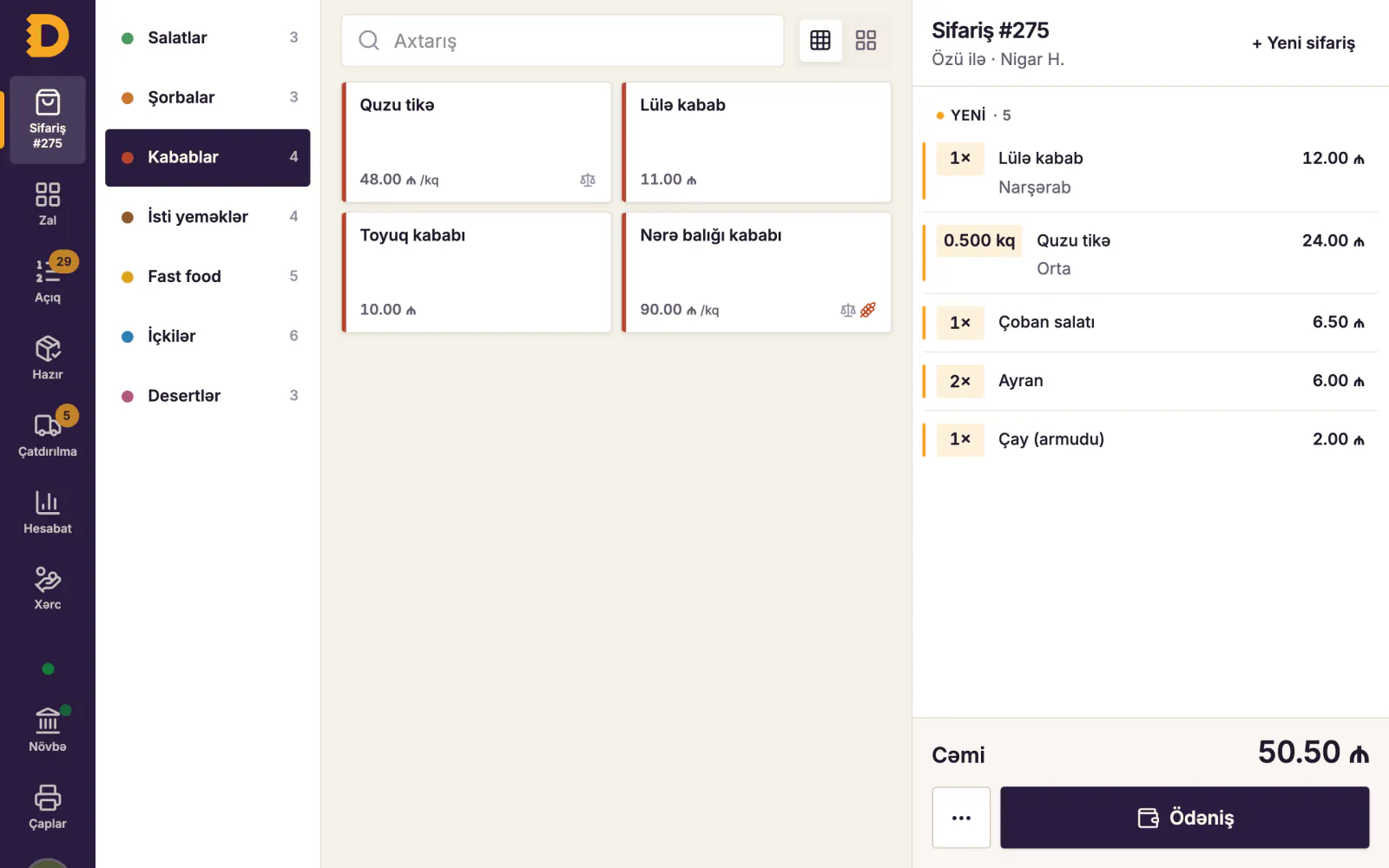
Hidden costs: what free software really costs
The price can be zero; the cost never is. An example for a small cafe (the figures are illustrative):
| Cost | Where it comes from | Example |
|---|---|---|
| Downtime | The till is down for 3 hours on a Friday night | At 400 ₼ of sales an hour, 1,200 ₼ of revenue is at risk |
| Manager's time | Copying daily sales into Excel | An hour a day, about 30 hours a month |
| Invisible losses | Voids with no trace, discounts with no name | One "missing" 10 ₼ dish a day is 300 ₼ a month |
| Lost data | The disk dies and there's no backup | Months of sales history and the menu, from scratch |
| Switching | Moving to another system six months later | Menu, recipe cards and customers entered again |
None of this shows on day one, and all of it costs money from the first month. We worked out the real cost of restaurant systems in a separate article: restaurant POS cost in Azerbaijan.
Moving off free software without losing data
Many venues start on free software and outgrow it within months: a second room, delivery, stock control. Prepare in advance so the move is painless:
- Keep the menu in a spreadsheet. With dishes, categories, prices and modifiers in Excel, moving to a new system takes hours rather than days.
- Export your sales history. At least daily revenue and sales by dish for the last 3–6 months. You'll want them for comparison after the switch.
- Keep recipe cards separately. Whatever the software, the recipe card is your knowledge and should stay with you.
- Plan the switch for a quiet day. Early in the week, not a Friday or the eve of a holiday.
- Don't delete the old program straight away. You may need to look things up in it for the first few days.
- Train the team. Half an hour of practice for waiters and the cashier, and someone who knows the system beside them on the first shift.
When you move to Dishment, we transfer your menu together with you. The trial period gives you time for exactly that and for training the team.
DISHMENT
Want to see this in your restaurant?
We'll show you Dishment on your own menu in 30 minutes.
Free demoHow to test: demos and free trials
A free trial is more useful than free software, because you get to test a complete system in your own venue. To get the most from it:
- Load your own menu. At least your 20–30 best sellers, with modifiers.
- Run a real shift. On a quiet day, put part of the room on the new system.
- Pull the plug on the internet. Unplug the router: do orders still reach the kitchen, do receipts print?
- Try the awkward cases. Splitting a bill six ways, moving a table, a void, a refund.
- Close the shift. X and Z reports, counting the cash, any cash difference.
- Check the reports next morning. From home, on your phone: what sold yesterday, who voided what?
- Export your data. Can you get sales and the menu out? Who owns the data?
- Message support. How long does an answer take, and in what language?
Dishment's trial lasts 30 days and includes everything: the base plan and all ready modules. No card is needed. We open the account and move your menu over with you, and setup usually takes one to three days. If you stay, the first invoice comes only after the trial ends: the base plan plus the modules you choose, with no long-term contract. If you don't, you pay nothing. Pick the modules on the pricing page to see the monthly total straight away.
Checklist: before you choose a POS
| Question | Why it matters |
|---|---|
| Am I getting it from the official site, with a licence? | A cracked copy is a legal and technical risk |
| Do sales carry on without the internet? | The internet can drop on a Friday night |
| Are there tables, courses and split bills? | A restaurant isn't a shop |
| Do orders reach the kitchen automatically? | Paper tickets get lost |
| Does a void need a reason, and is it logged? | Most theft goes through voids |
| Is there a fee per waiter tablet? | Per-device fees grow as you grow |
| Can I export my data? | So you can move to another system if needed |
| Who holds the backup? | For the day a disk dies |
| Is there support in Azerbaijani, Russian or English? | Problems happen in the evening |
| What will it cost after the free period? | A budget without surprises |
For wider selection criteria, see how to choose restaurant management software.
FAQ
Can I download POS software for free?
Yes, there is free software, but most of it is built for shops and doesn't cover a restaurant's tables, kitchen and shifts. Stay away from unlicensed copies labelled "free full version": they mean legal risk, malware and no support.
Is Dishment free?
No, there's no free plan. There is a 30-day free trial with the base plan and all ready modules, no card needed. After that you pay month by month for the base plan and the modules you choose.
Does POS software work on a phone or tablet?
Many modern systems do. In Dishment the till runs as a Windows or Android app and in the browser, waiters use an Android tablet or phone, and Back Office opens in any browser, including on a phone.
Can Excel replace POS software?
Partly for record-keeping, not as a till. Excel doesn't send orders to the kitchen, split bills or track voids, and several people can't reliably fill in one file at the same time. It will do for the very start, but it gets cramped in the first busy week.
Does free POS software replace the fiscal cash register (NKA)?
No. Only a registered NKA issues a fiscal receipt. POS software, free or paid, works alongside it.
DISHMENT
Try it free for 30 days
We open the account and move your menu over together. No card needed.
30 days free