Technology· 18 min read· Dishment team
Fiscal cash register (NKA) vs restaurant POS software in Azerbaijan
A cash register in Azerbaijan (NKA, e-kassa) issues the fiscal receipt; restaurant POS software runs the floor, kitchen and stock. How they differ, how they share a shift, the fines and how to choose an NKA.
People opening a cafe or restaurant in Baku often use one word, "kassa", for two different things. One is the cash register: the fiscal device (nəzarət-kassa aparatı, NKA, e-kassa) that sends receipts to the tax service. The other is restaurant POS software, where the waiter takes the order, the kitchen sees the ticket and the owner checks the evening's report. Mixing them up can mean paying twice, or worse, falling short of what the law requires.
This guide explains in plain terms what a cash register in Azerbaijan is and who in hospitality must use one, what the operating rules require (receipts, the Z report, breakdowns, paperwork), how an NKA is registered and deregistered, what the fines for a missing receipt are, what a restaurant POS does that an NKA does not, and how the two work side by side during a shift.
What a fiscal cash register (NKA) is and who must use one
A fiscal cash register (nəzarət-kassa aparatı, NKA) records cash settlements, prints the fiscal receipt and sends the data to the State Tax Service. Every hospitality business, including restaurants, cafes, coffee shops and tea houses, must take payments from the public through an NKA.
According to the State Tax Service (DVX), an e-kassa is a single device with two parts: the software till and the control mechanism device (NMQ). The NMQ gives every receipt a unique identifier (the fiscal ID), stores the transactions and, whenever there is a connection, sends the data to the tax service's information system in real time. Without internet the NMQ keeps the data for up to 7 days; if it can't send it within that time, the device won't issue new receipts.
The key rules:
- Only e-kassa models listed in the state register may be used. The register and the list of registered operators are on the e-kassa.gov.az portal.
- The e-kassa comes from an operator: you sign a contract, the operator installs the device, and you activate it by confirming the acceptance record in your online tax account. Inspections and repairs are also the operator's job.
- The operating rules ("Nəzarət-kassa aparatlarının istismarı Qaydaları") were approved by Cabinet of Ministers Decision No. 338 of 1 August 2019 and amended by Decision No. 68 in February 2024.
Online cash register: how it differs from the old kind
Today, a "cash register" in Azerbaijan in practice means an online cash register (e-kassa). The switch was phased in on a schedule approved by Cabinet of Ministers Decision No. 52 of 14 February 2019. Unlike older devices, an e-kassa is connected to the tax service's system in real time, gives every receipt a fiscal ID and prints a QR code on it. A receipt only counts as issued once the fiscal ID has been received.
Who in hospitality must use an NKA
According to the DVX booklet on online cash registers (2026), since 1 January 2023, across the whole country, retail, public catering, hotels, medical facilities, barbershops and beauty salons must carry out cash settlements through an e-kassa that meets the criteria and is connected to the tax service's system. The booklet's exceptions (newspaper and magazine sales, farm produce sold at markets, utilities and a few others) do not include catering. Restaurants, cafes, coffee shops, tea houses and fast-food outlets all count as public catering.
What the NKA does
- Prints the fiscal receipt. It shows the taxpayer's name and tax ID (VÖEN), the venue's address, the goods or services, the amount, the payment method (cash or cashless), the fiscal ID and a QR code.
- Reports to the tax service. Every receipt lands in the DVX system.
- Lets the guest verify the receipt. The guest enters the fiscal ID into the "Çeki yoxla" (check the receipt) service on the e-kassa.gov.az home page.
- Ties in with "ƏDV geri al". If the venue is VAT-registered, the guest can get part of the VAT back: 17.5% on cashless payments and 5% on cash. That needs a proper NKA receipt.
What the NKA doesn't do is just as important: it knows nothing about tables, doesn't send orders to the kitchen, doesn't cost a dish and doesn't see how many items a waiter voided. Its job is to record the payment for tax purposes.
NKA operating rules: receipts, the Z report, paperwork
In short: every payment needs a fiscal receipt with all the required details, the device must be kept working and online, and any breakdown must be reported straight away to the tax service and the operator. The user's duties are listed in paragraph 8.3 of the "Rules for the operation of control cash registers".
What the receipt must show
Under Article 50.8 of the Tax Code, an NKA receipt shows, among other things:
- the taxpayer's name and VÖEN, the date and time;
- the venue's name, its tax registration code and address;
- the name of the goods or service, unit, quantity, price and total, including the rate and amount of VAT or simplified tax;
- the number of receipts issued in the current shift and the receipt number;
- the device's make and serial number, the fiscal mode sign, a QR code and the registration number of the control mechanism device;
- the amount paid and change given, and the form of payment (cash, cashless, bonus, gift card);
- the receipt type: sale, return, cancellation, advance (deposit) payment, or payment towards a credit sale.
A receipt missing these details can also draw a financial sanction (see the fines section below). That is why dish names and the tax rate are worth setting up carefully on the NKA.
The Z report and the shift
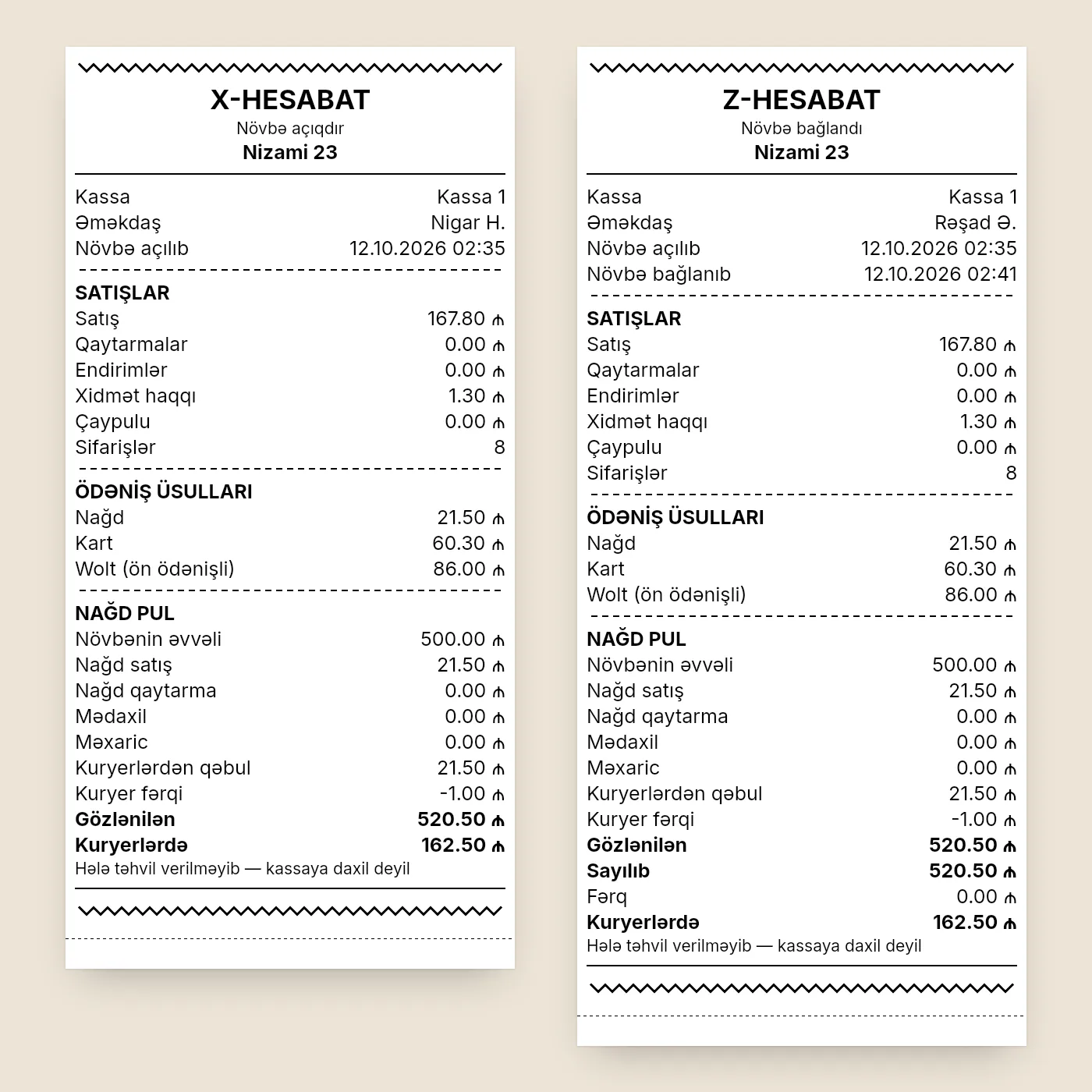
An NKA works in shifts: the receipt shows the count for the current shift, and the shift is closed with the NKA's fiscal Z report. The last shift must also be closed before the device is deregistered. We did not find a specific deadline for how often to take the Z report in the official material we reviewed, so check your operator's instructions and with the DVX. Many venues close the fiscal shift at the end of every trading day, which makes it easy to match the NKA total with the day's cash and card terminal.
Breakdowns, repairs and paperwork
- If the device breaks down, tell the tax service and the operator at once. According to the DVX booklet, the operator must have it repaired within 36 hours of the call; if that's not possible, it swaps in a backup e-kassa.
- While the device is down, transactions are recorded in the "book of transactions during NKA malfunction". Ask the operator for it, along with the technical service log.
- Without internet the control mechanism device keeps the data for 7 days and then stops issuing receipts. So plan the NKA's connection separately rather than relying only on the dining room's Wi-Fi.
- For the paperwork (contract, acceptance records, registration sheet, logs), name a responsible person: the rules make keeping, storing and destroying NKA documents the user's duty.
- Train your staff. Making sure cashiers can use the NKA is also the user's duty. Any work preparing the device for use is done only with the operator's representative present.
Registering a cash register: step by step
The operator registers the NKA with the tax service, and you finish by confirming the acceptance record in your online account. According to the DVX's 2026 booklet, the steps are:
- Contact an operator. Give a registered e-kassa operator your VÖEN, a copy of your ID card if you are an individual, and the venue's code.
- Contract. Your documents are checked and you sign a contract with the operator.
- Application. The operator fills in the "Application to register an NKA" on the e-kassa.gov.az portal and sends it to the tax service with the contract as a PDF.
- Checks. The system checks that the venue is registered and that the device is not registered at another venue. If everything matches, a certificate file arrives in the operator's online account.
- Installation. The operator writes the certificate to the control mechanism device, installs the register at the venue, draws up the acceptance record and submits it to the DVX through the portal.
- Confirmation. You log in to your online account on the Internet Tax Office portal, enter the record number, read it and confirm it with an enhanced electronic signature.
- Registration sheet. The "NKA registration sheet" arrives in your account (a paper copy is available on request). The e-kassa is then active.
The control mechanism device's certificate is issued for 3 years. Seven days before it expires you get a notice in your account, and the operator loads the new certificate. If you are getting ready to open, sort out your enhanced electronic signature and the venue's tax registration early: steps 4 and 6 won't go through without them.
Deregistering a cash register
To take a register off the books, close the last shift on the NKA and send the "Application to deregister an NKA" from your online account; the operator does the rest. This usually comes up when a venue closes or gives up the device. The steps, per the DVX booklet:
- Close the last shift on the NKA.
- Send the "Application to deregister an NKA" to the tax service, signed with an enhanced electronic signature.
- The system checks whether an operational tax inspection is under way at the venue. If it is, you get a notice refusing the application until it ends.
- If the application is in order, the tax service notifies the operator. Within 5 working days the operator checks that all data in the control mechanism device has been sent, sends it if needed, then deletes the certificate and resets the device.
- The operator sends the deregistration record through the portal, the device's status changes, and a notice arrives in your account. If the record isn't sent within 5 working days, the application is refused.
If the device was destroyed in a fire, attach a certificate from the fire service; if it was stolen or lost, attach one from the police.
What restaurant POS software does
A restaurant POS runs the venue's day-to-day work:
- Floor and tables. A live floor plan: free, seated, waiting for food, bill printed.
- Orders to the kitchen. The waiter sends the order from a tablet, and the ticket appears at once on the right station's screen or printer.
- Splitting and merging checks. A table of six wants to pay separately, and nobody reaches for a calculator.
- Control. A void needs a reason and goes into the audit log; you can see who did what, and when.
- Stock and recipes. Every sale writes off ingredients, and cost and margin are worked out.
- Staff and reports. Shifts, revenue, dishes, waiters, voids, payment methods.
| Fiscal cash register (NKA) | Restaurant POS software | |
|---|---|---|
| Main job | Fiscal receipt and reporting to the tax service | Floor, kitchen, stock, staff, reports |
| Required by law | Yes, for payments in catering | No, it's a management tool |
| Supplied by | A registered e-kassa operator | A software vendor |
| Tables and orders | No | Yes |
| Kitchen tickets | No | Screen or printer |
| Food cost and stock | No | Yes (with a module) |
| Control of voids and discounts | No | Reasons, audit log |
| What the guest gets | Fiscal receipt | Bill (not fiscal) |
So the question isn't "NKA or software?". The NKA is a legal requirement; the software is how you run the place. They do different jobs. To see all the costs together, read how much restaurant POS software costs in Azerbaijan.
NKA, card terminal and restaurant POS: how they share a shift
Dishment does not issue fiscal receipts and is not integrated with the NKA. It works alongside the venue's own cash register. A typical evening runs like this:
- Order. The waiter opens the table on a tablet, enters the order and fires it to the kitchen. The ticket appears on the cook's screen or printer.
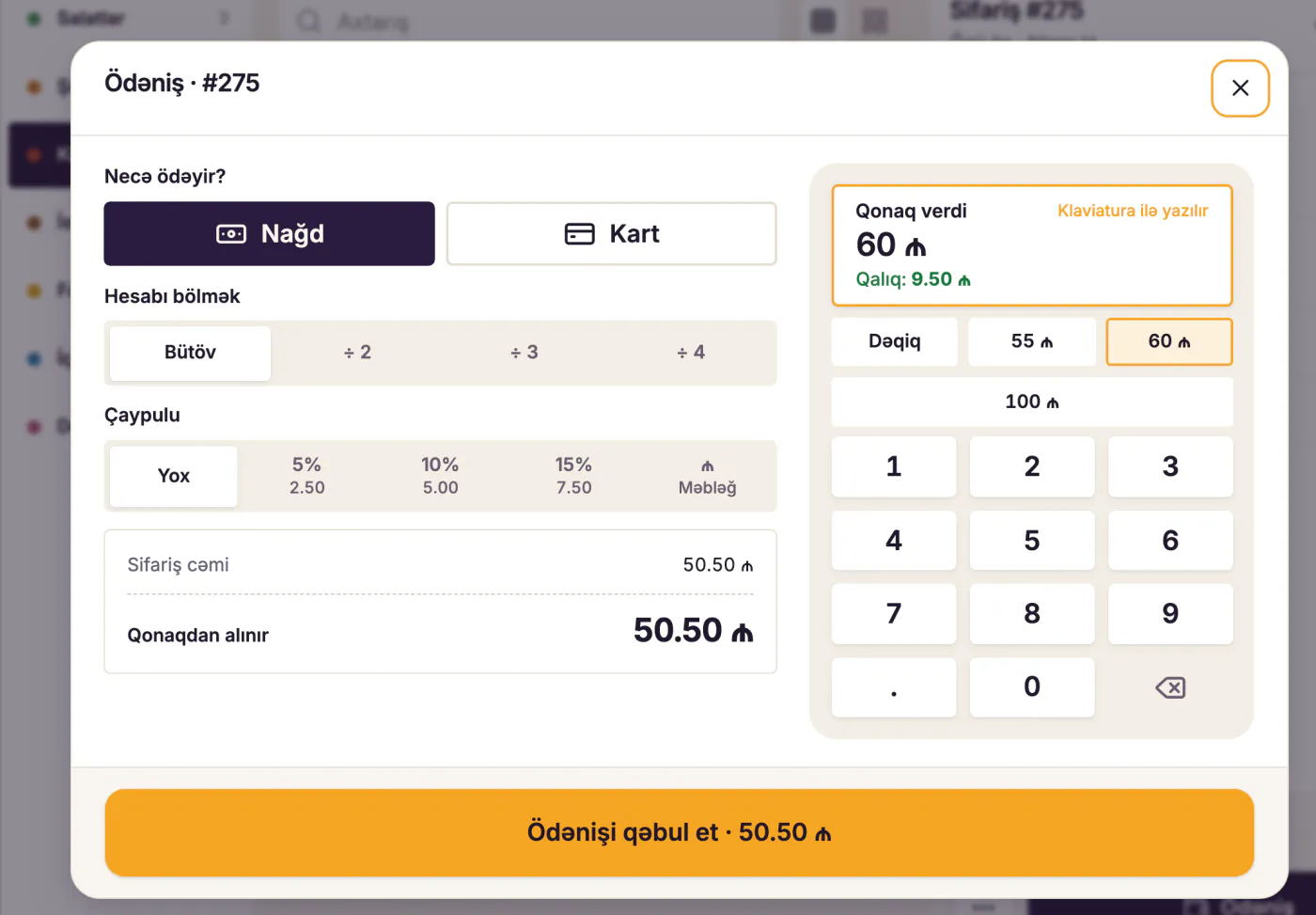
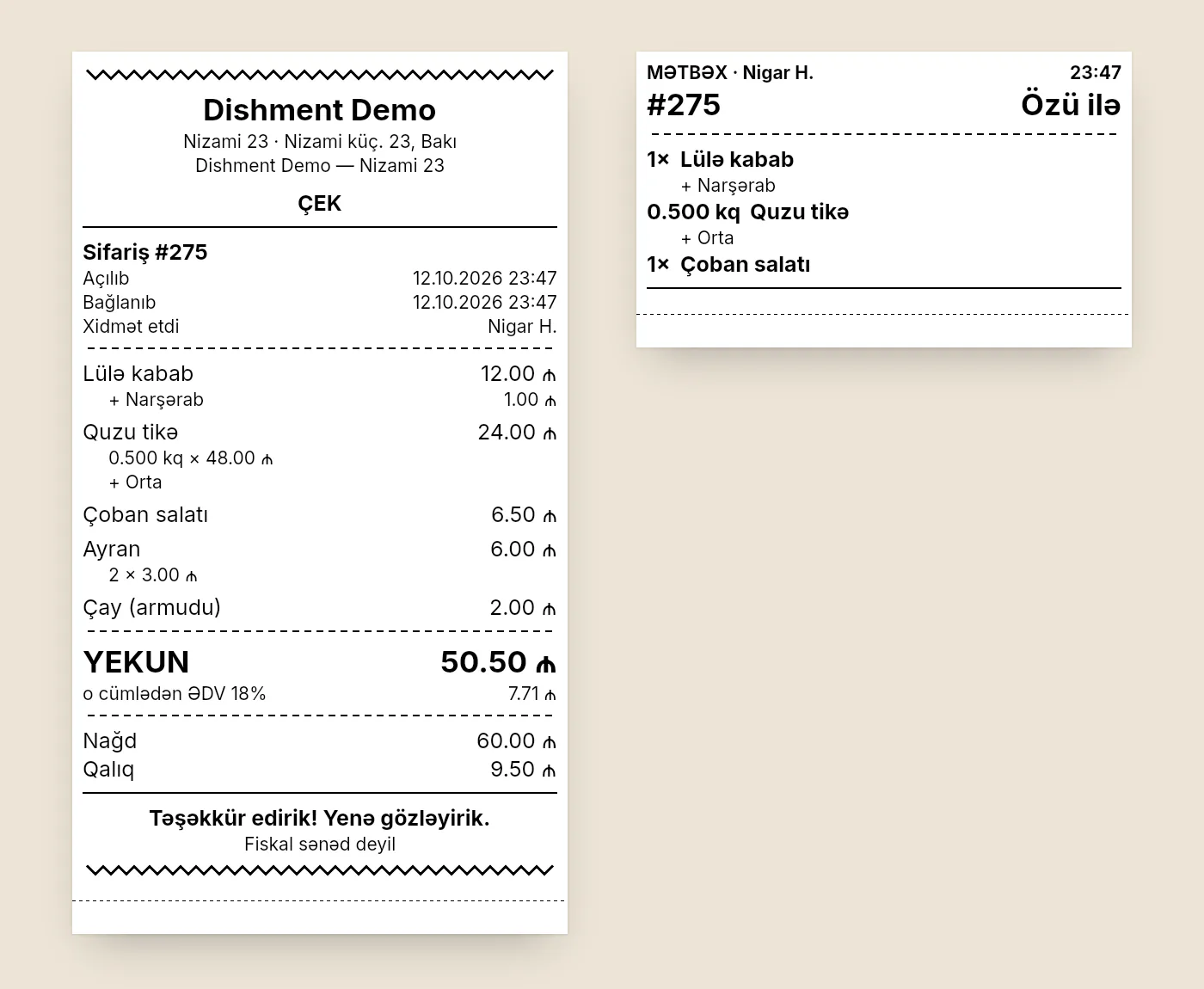
- Bill. When the guest asks for the bill, the waiter prints it from the POS. It is not a fiscal receipt; it's information for the guest.
- Payment and fiscal receipt. The cashier records the payment on the NKA; card payments go through the bank's card terminal. The guest gets the NKA's fiscal receipt.
- Closing the check. The cashier closes the check in the POS with the payment method (cash or card).
- End of day. The shift totals in the POS (cash and card separately) are checked against the daily totals of the NKA and the card terminal.
Because the amount is recorded in two places, mistakes can happen. To keep them down:
- Reconcile every day. Cash and card in the POS should match the NKA and the terminal. If there is a gap, look for it the same day, not at the end of the month.
- Keep the menu the same. If your NKA holds a list of goods and services, keep names and prices in line with the POS menu.
- Watch voids and discounts. Removing a dish or adding a discount after the bill is printed is the most common way to "shrink" a check. We explain how to catch it in restaurant theft prevention.
A card terminal integrated with the NKA, and the 2026 tax benefit
From 1 January 2026, for 3 years, catering businesses get tax benefits on cashless payments. For example, a venue paying the 8% simplified tax pays 6% on cashless payments from the public taken through a POS terminal, and a VAT payer deducts 50% of that turnover from its VAT-taxable turnover.
The key condition: the cashless payment must go through a card terminal integrated with the cash register in a single operating system, and the transaction reference number (RRN) on the NKA receipt must be passed to the tax service. The DVX recommends asking your e-kassa operator to set this up.
This is about the link between the bank's card terminal and the NKA. Restaurant software has no bearing on it: Dishment is neither an NKA nor a card terminal, and it neither gives nor takes away the right to the benefit. We will cover all the conditions, with AZN examples, in a separate article.
Cash register fines: what happens if you don't issue a receipt
If no receipt is given, a receipt shows less than was paid, or a payment is taken without an NKA, the Tax Code sets a financial sanction that starts at 1,000 AZN and rises to 6,000 AZN with repeat breaches in a calendar year. The DVX website and its 2026 booklet list the sanction for these cases:
- taking payments from the public without an e-kassa, or with a device that isn't registered, doesn't meet the technical requirements or issues receipts that don't comply with Article 50.8 of the Tax Code;
- not giving the buyer a receipt, or giving one for less than the amount paid;
- breaking the rules for recording payments while the e-kassa is suspended;
- not installing a card terminal where one is mandatory, or refusing a cashless payment where a terminal is installed.
The amount grows with the number of breaches in a calendar year:
| Within a calendar year | Financial sanction |
|---|---|
| First time | 1,000 AZN |
| Second time | 3,000 AZN |
| Three or more times | 6,000 AZN |
If a card terminal breach happens at the same time as taking payments without an e-kassa, the booklet says the sanction is applied once. The figures are repeated in a DVX news item from June 2026. Check how the sanction would apply in your own case (for example, to a first breach) with your accountant or the DVX.
What to ask when choosing an NKA
- Operator and model. Check that both are in the register on e-kassa.gov.az.
- Service contract. Maintenance, repairs, software updates and a backup device should all be written into the contract. Device and service prices vary by model and operator, so get written quotes from several operators.
- Integration with the bank card terminal. Can the operator link cashless payments to the NKA, with the RRN passed on? The 2026 benefit depends on it.
- Internet. How does the device connect (Wi-Fi, Ethernet, SIM)? Remember the 7-day offline limit.
- A loan device during repairs. How does the operator meet the 36-hour repair window, and how fast does a backup e-kassa arrive?
- Receipt paper and printer. Which roll size, and where to buy it.
- The malfunction log. Ask the operator for the book used to record transactions while the NKA is out of order, and show staff where it is kept.
Where Dishment fits
Dishment is a management system. The POS handles tables, orders, the kitchen, split checks and voids with a reason; reports show revenue by day, dish, staff member and payment method; the loss prevention module finds voids after the bill, reopened checks and cash shortages for you. The fiscal receipt comes from the venue's own cash register. Dishment doesn't replace it and isn't integrated with it.
When the internet drops, the Dishment POS keeps working through the hub inside the venue (offline mode). The NKA's 7-day offline limit is a separate rule and depends on the device's own connection.
To check the other selection criteria, use our list on how to choose restaurant management software.
DISHMENT
Want to see this in your restaurant?
We'll show you Dishment on your own menu in 30 minutes.
Free demoFAQ
What is a control cash register (NKA)?
A device that records cash settlements, prints the fiscal receipt and sends the data to the tax service. Today Azerbaijan uses online e-kassa devices: a software till together with a control mechanism device (NMQ).
What is the fine for not issuing a receipt?
According to the DVX, if a buyer gets no receipt or one for less than was paid, the financial sanction within a calendar year is 1,000 AZN the first time, 3,000 AZN the second time and 6,000 AZN for the third and any later breach.
When should the Z report be taken?
The Z report closes the fiscal shift on the NKA. We did not find a specific deadline in the official material, so set the frequency by your operator's instructions and the DVX's requirements. Many venues close the shift at the end of every trading day.
Can POS software replace the cash register?
No. The cash register is required by law and is supplied only by a registered e-kassa operator. Restaurant software is a management tool: floor, kitchen, stock, reports. Dishment works alongside the NKA and does not replace it.
Is an electronic cash register the same as an NKA?
Yes. Electronic cash register, online cash register and e-kassa are all names for the control cash register used today: it is connected to the tax service in real time and gives every receipt a fiscal ID. Only models on the state register can be used, and only from a registered operator.
Is a cash register the same as a card terminal?
No. A card (POS) terminal takes bank card payments; the NKA issues the fiscal receipt. For the 2026 tax benefits, the card terminal must be integrated with the NKA in a single operating system. Sort this out with your e-kassa operator.
How do I deregister a cash register?
Close the last shift on the NKA and send the "Application to deregister an NKA" from your online account, signed with an enhanced electronic signature. Within 5 working days the operator checks the data has been sent, resets the device and sends the deregistration record to the tax service.
How can a guest check that a receipt is genuine?
By entering the fiscal ID from the receipt into the "Çeki yoxla" service on the e-kassa.gov.az home page.
Sources
- DVX, booklet on online cash registers ("Onlayn kassanın tətbiqi"), 2026: who must use one, registration, deregistration, repairs, penalties: taxes.gov.az
- DVX, booklet on online cash registers, 2022 (the user's duties): taxes.gov.az
- Cabinet of Ministers Decision No. 338 of 1 August 2019, "Rules for the operation of control cash registers": nk.gov.az
- Cabinet of Ministers Decision No. 68 of 5 February 2024 (amendments to the Rules): nk.gov.az
- DVX, financial sanctions for not using an NKA or card terminal: taxes.gov.az
- DVX news item, June 2026: taxes.gov.az
- DVX, 2026 changes for catering (flyer): taxes.gov.az
- DVX, simplified tax booklet, 2026 (the RRN condition): taxes.gov.az
- DVX, "Tax Code changes in questions and answers", 2026 ("ƏDV geri al" rates): taxes.gov.az
Information as of October 2026. This is not legal or tax advice. For your own situation, ask your accountant, your e-kassa operator or the State Tax Service (call centre 195-1).