Guides· 11 min read· Dishment team
X and Z reports explained: opening and closing a restaurant cash shift
What an X and Z report is, why the fiscal Z report of the NKA cash register and the Z report of your POS are different documents, and how to open, run and close a cash shift without gaps.
At the end of a shift the cashier counts the money, the manager says "run the Z", and the owner wants a photo of the Z report in the morning. But which Z? In a restaurant in Azerbaijan, "X and Z report" covers at least two different things: the fiscal Z report of the fiscal cash register (NKA) and the shift report of the POS software. They do different jobs, and one doesn't replace the other.
This guide explains the difference between X and Z, how to open and close a cash shift properly, and where to look when the drawer doesn't add up.
X and Z report: the difference in one table
| X report | Z report | |
|---|---|---|
| When it's taken | any time during the shift | when the shift closes |
| Does it close the shift | no, the shift stays open | yes, the shift closes |
| How many times | as often as needed | once per shift |
| Counted cash | no, only the expected amount | yes: expected, counted and the difference |
| What for | a mid-shift check: "how much should be in the drawer now" | the shift's totals and handing over the drawer |
Put simply: the X report answers "what has happened so far" and changes nothing. The Z report closes the shift and records the result. You can take an X as often as you like, for example when cashiers swap or before the evening rush.
The NKA's Z report and the POS's Z report are different documents
This is where most confusion comes from.
The NKA's fiscal Z report
The NKA (online cash register, e-kassa) is the device that issues the guest's fiscal receipt and is connected to the tax authority. According to the State Tax Service's booklet on online cash registers, e-kassa receipts carry a fiscal ID and their data are transmitted to the State Tax Service's information system. The NKA has its own shift: it is opened and closed from the device's own menu, and closing it produces the fiscal Z report.
That is a legal document. The rules for operating an NKA were approved by Cabinet of Ministers Decision No. 338 of 1 August 2019. Check when and how to close the shift on your NKA with your NKA operator's instructions and the State Tax Service's official materials. We make no claim here about timing.
We explain how an NKA differs from restaurant software in a separate guide.
The bank card terminal's end of day
The bank terminal that takes cards has its own end-of-day report too, often called "settlement", "end of day" or, again, a "Z report". Your bank sets the procedure. Terminals integrated with an NKA may work differently, so check that with your NKA operator and bank as well.
The POS software's Z report
The Z report in restaurant POS software is a management report. It is for you, not the tax authority: what sold during the shift, who refunded what, how much cash should be in the drawer and how much actually is. It is not a fiscal document and doesn't replace the NKA's Z report.
| NKA Z report | Bank end of day | POS Z report | |
|---|---|---|---|
| Purpose | close the fiscal shift | reconcile card payments with the bank | run the shift and the cash |
| For whom | tax authority and the venue | bank and the venue | owner, manager, cashier |
| Status | fiscal document | bank document | internal report |
| What it shows | totals of fiscal receipts | card payments | sales, refunds, discounts, payment methods, cash in the drawer, the difference |
Reconcile the three reports
At the end of the shift, take a minute to compare three numbers:
- Card: the "Card" total in the POS should match the bank terminal's end of day.
- Cash: cash sales in the POS should be checked against the cash receipts on the NKA.
- If they don't match: either a guest didn't get a fiscal receipt, the wrong payment method was chosen (cash instead of card or the other way round), or a refund was made in only one system.
When these three numbers match every day, both the tax risk and cash losses go down. The consequences of not issuing a fiscal receipt are covered in our NKA guide.
Opening the shift: the float and a first check
A shift always starts with a count.
- Count the float. This is the money kept in the drawer for change, say 150 ₼: notes and coins separately.
- Enter the counted amount in the POS. If it differs from the last shift, tell the manager now, not in the evening.
- Check the shift on the NKA and the bank terminal. Are they working, is there paper, is there internet?
- One drawer, one person. When two cashiers share one drawer, there is no way to tell whose difference it is.
During the day: cash drops, expenses, refunds
Money leaves and enters the drawer only with a record.
- Cash in: brought change from the safe? Record it on the till as "cash in".
- Cash out and cash drops: a lot of cash has built up by the evening and 500 ₼ goes to the safe? That is "cash out", with a reason.
- Paying an expense from the till: paid the bakery 100 ₼ in cash? Record it as an expense: category, who it went to and a note. Keep the paper receipt.
- Refunds: when money goes back to a guest, refund it by the same payment method. A cash refund for a check paid by card is the riskiest operation there is.
- X report: when cashiers swap or before the evening rush, take an X and compare the drawer with the expected amount. A mistake is easier to find at 15:00 than at 01:00.
Closing the shift: count, difference, Z
The cash that should be in the drawer is worked out like this:
Expected = opening float + cash sales − cash refunds + cash in − cash out
An example (illustrative figures):
| Line | Amount |
|---|---|
| Opening float | 150.00 ₼ |
| Cash sales | 1,840.00 ₼ |
| Cash refunds | −25.00 ₼ |
| Cash in (change from the safe) | 100.00 ₼ |
| Cash out (500 ₼ cash drop + 100 ₼ to the bakery) | −600.00 ₼ |
| Expected | 1,465.00 ₼ |
| Counted | 1,452.00 ₼ |
| Difference | −13.00 ₼ |
Closing routine:
- Check open tables: no unpaid checks should be left.
- Count the cash without looking at the expected amount, then compare. It makes for a more honest count.
- Enter the counted amount in the POS and close the shift with the Z report.
- If there is a difference, note the reason the same day.
- Close the fiscal shift on the NKA according to the NKA's rules.
- Leave the float for the next shift and hand the rest over to the safe or the bank.
DISHMENT
Want to see this in your restaurant?
We'll show you Dishment on your own menu in 30 minutes.
Free demo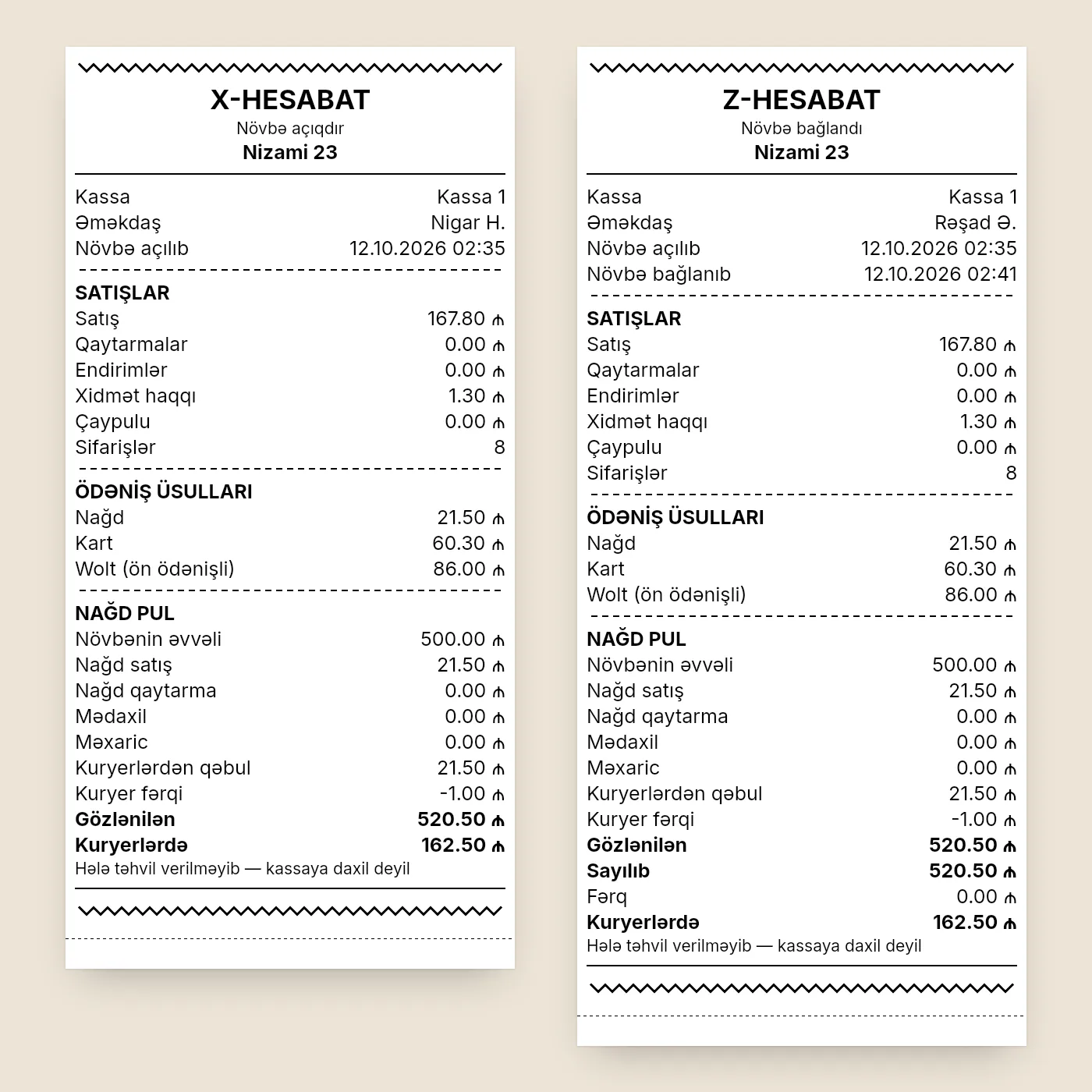
Why the drawer doesn't match: 7 common causes
- Wrong change. In a rush it's easy to give change from 50 ₼ instead of 20 ₼.
- The wrong payment method. The guest paid by card but "cash" was pressed on the till, or the other way round. Card won't match the bank, and cash won't match the drawer.
- An expense or cash drop wasn't recorded. Money went to the safe or to a courier, but the till has no record of it.
- A refund made in only one system. The guest got their money back, but the POS has no refund.
- The float was miscounted. "150" was entered in the morning, but the drawer held 130.
- Tips taken from the drawer. If tips left on a card are taken out of the drawer in cash, the drawer comes up short. Agree on how tips are handled in advance.
- A sale wasn't rung up. The worst cause: the guest paid, but the order isn't in the system. The drawer then usually holds "extra" money that later gets "taken". We describe these schemes in our restaurant theft prevention guide.
If you run delivery, an eighth cause is cash still with the couriers: until a courier hands it over, that money isn't in the drawer and shouldn't be in the expected amount either.
Shifts, X and Z in Dishment
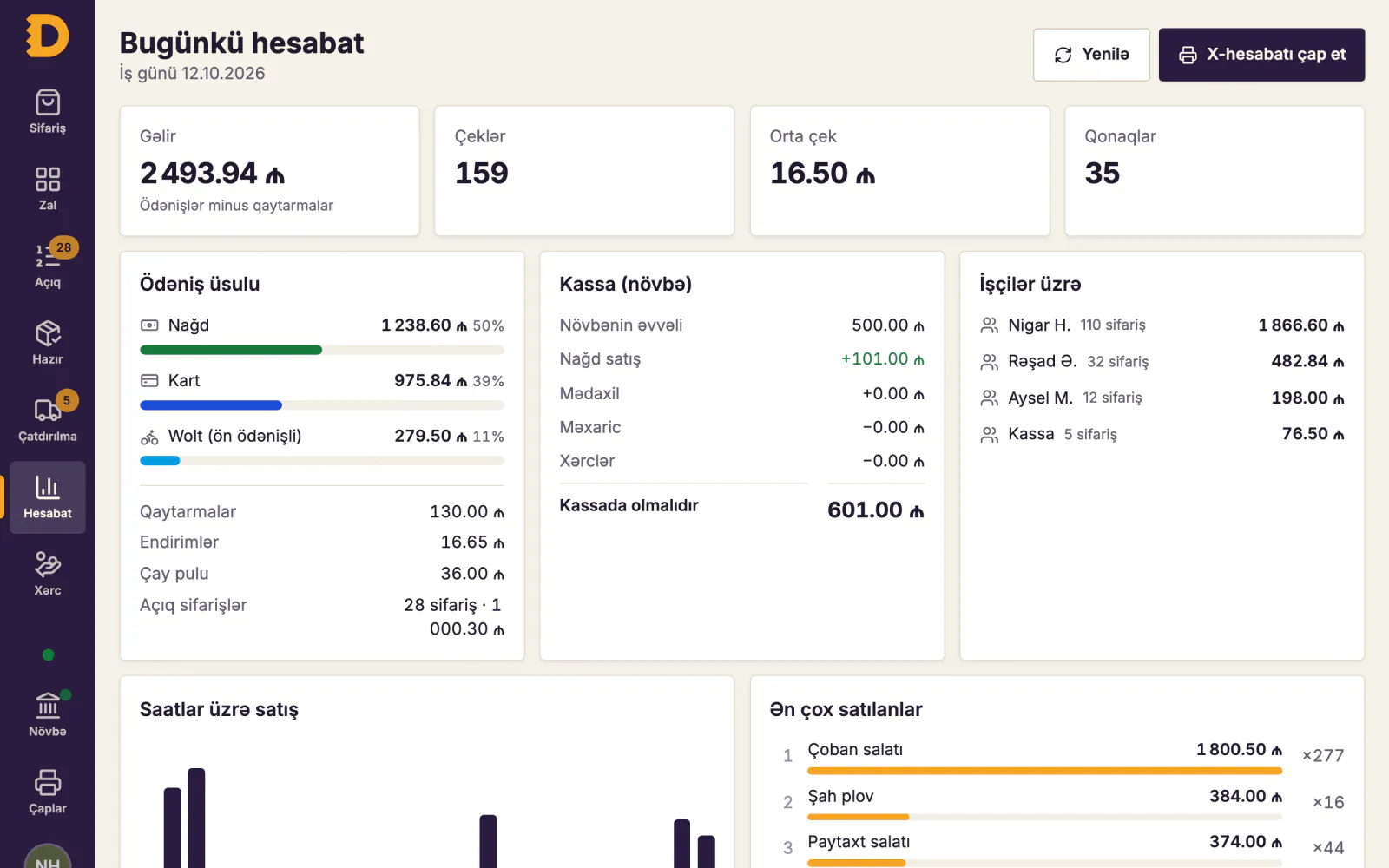
In Dishment's POS, a shift is opened and closed for each register separately. A new shift suggests the cash the last one closed with as its opening float. Cash in, cash out and expenses paid from the till (with a category and who the money went to) are recorded right on the till, and the POS won't let you take out more than is in the drawer. A manager can fix a wrong expense while the shift is open, or delete it with a reason: a deleted expense stays in the list struck through, showing who deleted it and why.
You can print an X report at any time during the shift, and the Z report prints by itself when the shift closes. Both show sales, refunds, discounts, service charge, tips, the number of orders and totals by payment method. The "Cash drawer" block has the lines from this guide: opening float, cash sales, cash refunds, cash in, cash out and expected, plus counted and difference on the Z. Each payout shows on its own line with the time and the recipient. If you like, the X and Z can also list the dishes sold by category. With the Delivery module, cash received from couriers and cash still with them are shown separately.
X, Z, opening and closing the shift, and cash in and out are separate permissions, and each action stays in the audit log with the employee's name. In Back Office reports, each shift's Z report, its checks and its cash in and out open in one click.
Dishment is not an NKA and doesn't print fiscal receipts: it works alongside the venue's NKA. The fiscal receipt and the NKA's Z report stay on the NKA.
Getting the Z in Telegram
There's no need to start the morning waiting for a photo of the Z. With the Notifications module, revenue, orders, the average check, payment methods, voids and refunds reach Telegram as soon as the day is closed. Venues and events are chosen for each recipient: the owner gets everything, a branch manager only their own branch.
If you'd rather not watch cash differences by hand, the Loss control module finds cash shortages at the shift close, cash refunds for card payments and other suspicious cases by itself, and sends serious ones straight to Telegram.
FAQ
What is an X report?
An interim report taken during the shift: it shows sales so far and how much cash should be in the drawer, without closing the shift. You can take it as often as you like.
Is the Z report the shift close?
Yes. The Z report is the shift's final report and closes it. A POS Z report is a management document; the NKA's fiscal Z report is a separate legal document.
How often must the Z report be taken on the NKA?
Follow the NKA operating rules and your NKA operator's instructions. Check the exact requirement with the operator or the State Tax Service.
Does the POS Z report replace the NKA's Z report?
No. The POS Z report is an internal report. The NKA's fiscal shift is closed separately on the NKA.
How do I run a Z report on a card terminal?
On a bank terminal it is usually called "end of day" or "settlement" and sits in the menu as a separate command. The exact steps are set by the bank, so check the instructions from the bank that installed the terminal. Once it prints, compare its card total with the card line on the NKA's Z report and on your POS software's Z report.
What does "running the Z" mean?
In cashier talk it means printing the Z report on the NKA and closing the fiscal shift. After that, no more sales go into that shift; the next sale starts a new one.
What if there is extra cash in the drawer?
Extra cash is a difference too. Most often the cause is the wrong payment method or a sale that wasn't rung up. Don't pocket it: record the difference and look for the reason.
DISHMENT
Try it free for 30 days
We open the account and move your menu over together. No card needed.
30 days free