Technology· 10 min read· Dishment team
Restaurant accounting software vs a restaurant system: what each one does
Accounting software keeps the official books; a restaurant system runs the floor and gives you management numbers. What each does in Azerbaijan, who is responsible for what, and what to hand your accountant monthly.
When you open a restaurant, one question comes up early: which software do I need, accounting software or a restaurant system? Usually the answer is both, for different jobs. Restaurant accounting software keeps the official books: documents, taxes, payroll deductions, tax returns and financial statements. A restaurant system runs the daily operation: orders, the kitchen, stock, shifts and the management numbers the owner needs. This article explains the difference, where each fits in Azerbaijan and what to hand your accountant at the end of every month.
Types of accounting software
When people in Azerbaijan search for accounting software, both international and local products come up. Whatever the brand, they fall into a few types:
- Desktop accounting systems. Chart of accounts, source documents, stock and fixed assets, payroll, reporting. Usually run by an in-house accountant.
- Cloud accounting services. The same functions in a browser, so the accountant can work from anywhere.
- Your accounting firm's software. Small restaurants often don't employ an accountant: documents go to an outsourced firm, and the firm chooses the software.
- Excel spreadsheets. Handy at the start, risky for official books: a formula can be wrong and nobody can see who changed what.
Whichever you use, tax returns are filed through the State Tax Service's online services (e-taxes.gov.az). Software makes that job easier but doesn't take the responsibility off your accountant.
What restaurant accounting software does
- records source documents: supplier invoices, bank statements, cash documents;
- posts entries to the chart of accounts and keeps the balance sheet;
- calculates income tax, social insurance, unemployment insurance and compulsory medical insurance on wages;
- prepares tax returns and reports; for example, the combined return for tax withheld on employment income is filed quarterly, by the 20th of the month after the quarter ends;
- keeps track of fixed assets such as equipment and furniture;
- produces financial statements.
Accounting software has no idea what happens inside the restaurant: which table ordered what, how much rice went into a portion of plov, who voided a dish after it went to the kitchen. To it, sales are one figure per day or per month.
What a restaurant system does
- Till: orders, bills, payments, cash shifts, X and Z reports.
- Kitchen: sending orders to the kitchen, a kitchen display or a printer.
- Stock: recipe cards, ingredients deducted with every sale, write-offs and stock counts.
- Staff: rotas, time sheets, commission on sales.
- Management reports: revenue, dishes, staff, voids, cost and margin.
A restaurant system doesn't keep the official books either: the chart of accounts, tax returns and balance sheet are not its job. It gives the owner numbers to run the business and gives the accountant raw data for the books.
The third player: the fiscal cash register (NKA)
The official record of a sale lives on the fiscal cash register: the fiscal receipt and the fiscal Z report. Neither a restaurant system nor accounting software replaces the NKA. We cover the difference in NKA cash register vs restaurant POS.
Side by side: which job happens where
| Job | Accounting software | Restaurant system | NKA |
|---|---|---|---|
| Orders, bills, kitchen | no | yes | no |
| Fiscal receipt and fiscal Z report | no | no | yes |
| Recipe cards and cost per portion | general stock accounting | yes, with every sale | no |
| Daily management reports | no | yes | fiscal figures only |
| Rotas and time sheets | in some products | yes | no |
| Tax and social contributions on wages | yes | no | no |
| Tax returns | yes | no | no |
| Balance sheet and financial statements | yes | no | no |
| Profit and loss for the owner | from the official books, after month end | a management version, in some systems | no |
The conclusion is simple: one doesn't replace the other. The question isn't which to choose but how to connect them.
Restaurant bookkeeping: who does what
- Cashier and manager ring up sales in the restaurant system, put cash and card payments through the NKA, and compare the management Z report with the fiscal one every day.
- Head chef or storekeeper record deliveries, write-offs and stock counts in the system.
- Manager keeps the time sheet and prepares the payroll sheet at month end.
- Accountant keeps the official books from this data and the source documents, calculates taxes and contributions, and files returns.
- Owner reads the management reports and makes decisions.
Most trouble comes from the gap between two numbers: management revenue and fiscal revenue. If every sale goes through the NKA, they should match. Look for any difference when the day closes, not at the end of the month. Our guide to X and Z reports shows how to close a shift properly.
Three scenarios: cafe, restaurant and chain
- A small cafe or coffee shop. Bookkeeping is usually outsourced. The owner needs a restaurant system and a monthly document pack, and the accounting firm chooses the accounting software. The main job is getting documents to them on time and complete.
- A mid-sized restaurant. An in-house or part-time accountant with their own software. Most of their time goes on payroll and purchases, so time sheets and invoices should come out of the restaurant system ready to use, not be copied from a notebook.
- A restaurant chain. A separate management report for each venue and central bookkeeping. Transfers of stock between venues need documents both in the stock system and in the official books, or balances will never match. In Dishment a transfer between venues is its own stock document, and multi-location lets you compare venues on one screen.
Whichever fits you, the owner's rule is the same: watch the daily numbers in the restaurant system, leave the official reporting to your accountant, and ask them for a short summary every month.
DISHMENT
Want to see this in your restaurant?
We'll show you Dishment on your own menu in 30 minutes.
Free demo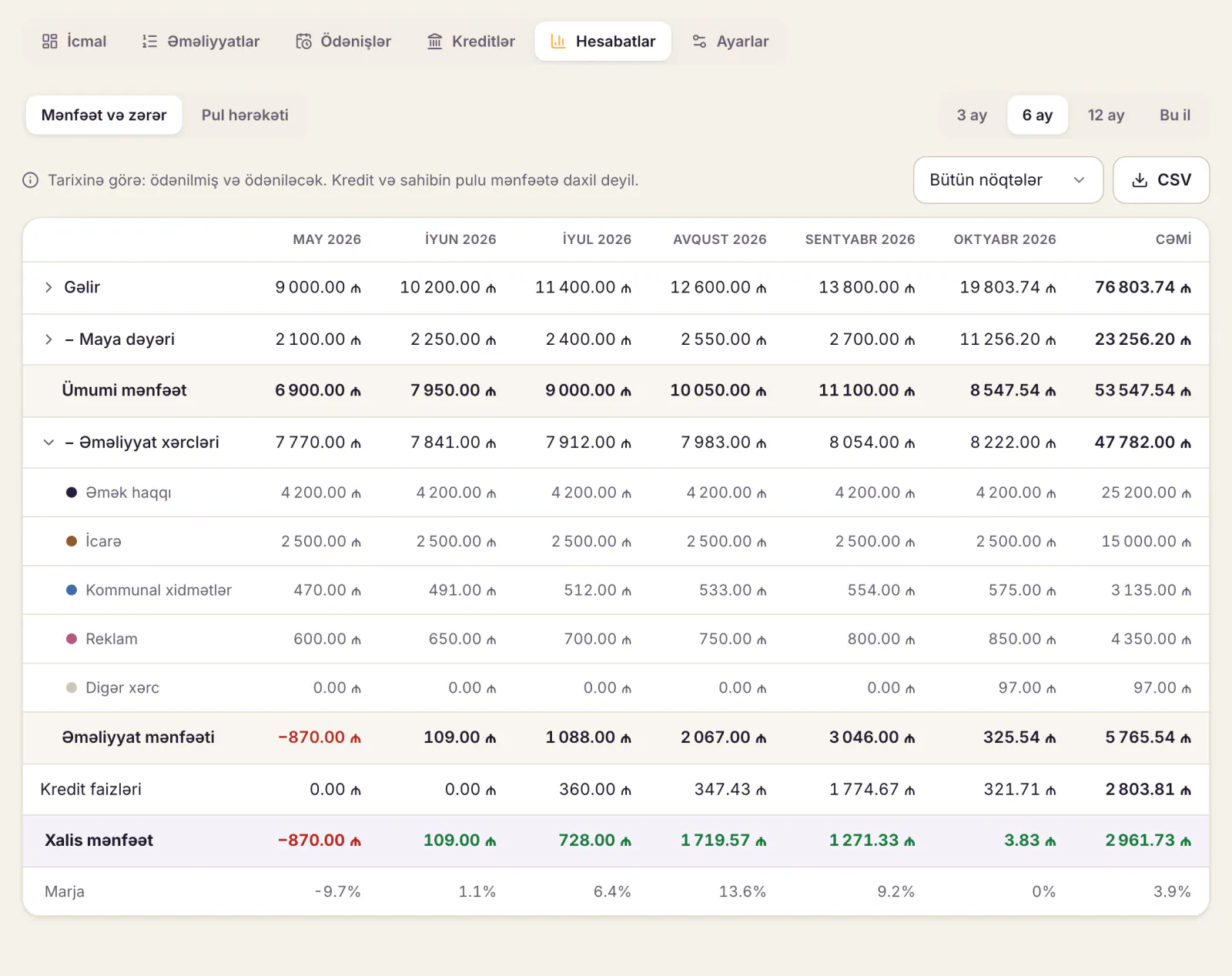
What to send your accountant every month
Copy this list and agree it with your accountant; the exact set can differ from one restaurant to another.
| Document | Where it comes from | Why it's needed |
|---|---|---|
| Fiscal Z reports | NKA | official revenue |
| Sales by payment method (cash, card) | restaurant system, bank statement | reconciling revenue |
| Supplier invoices | suppliers | purchases and expenses |
| Write-off records | restaurant system or paper form | documenting losses |
| Stock count sheet | the count | month-end stock |
| Time sheet and payroll sheet | restaurant system | calculating deductions |
| Rent, utility and other expense documents | owner, manager | expenses |
| Bank statement | bank | cash movements |
There is a write-off form in our article on food write-offs, and the counting routine is in the restaurant inventory count guide.
Six questions when choosing accounting software
- Is it updated when the law changes? For example, wage income tax changed from 2026, and the software has to apply the new rates.
- Can your accountant work with it? Even the best product becomes a source of errors if your accountant doesn't know it.
- How many users, and is remote access needed? It matters if your accountant isn't on site.
- Who keeps the backup? A broken computer shouldn't cost you a year of books.
- Can it take data from your restaurant system? At least as a CSV or Excel file.
- What do the licence, updates and support cost? Look at the yearly cost, not just the purchase price.
Stay away from unlicensed copies found by searching for "free accounting software download": they get no updates, miscalculate when rates change, and nobody helps when the data is lost.
Choosing a restaurant system raises different questions: offline mode, recipe cards, the kitchen, reports. We cover them in how to choose restaurant management software and restaurant POS cost in Azerbaijan.
Where Dishment fits
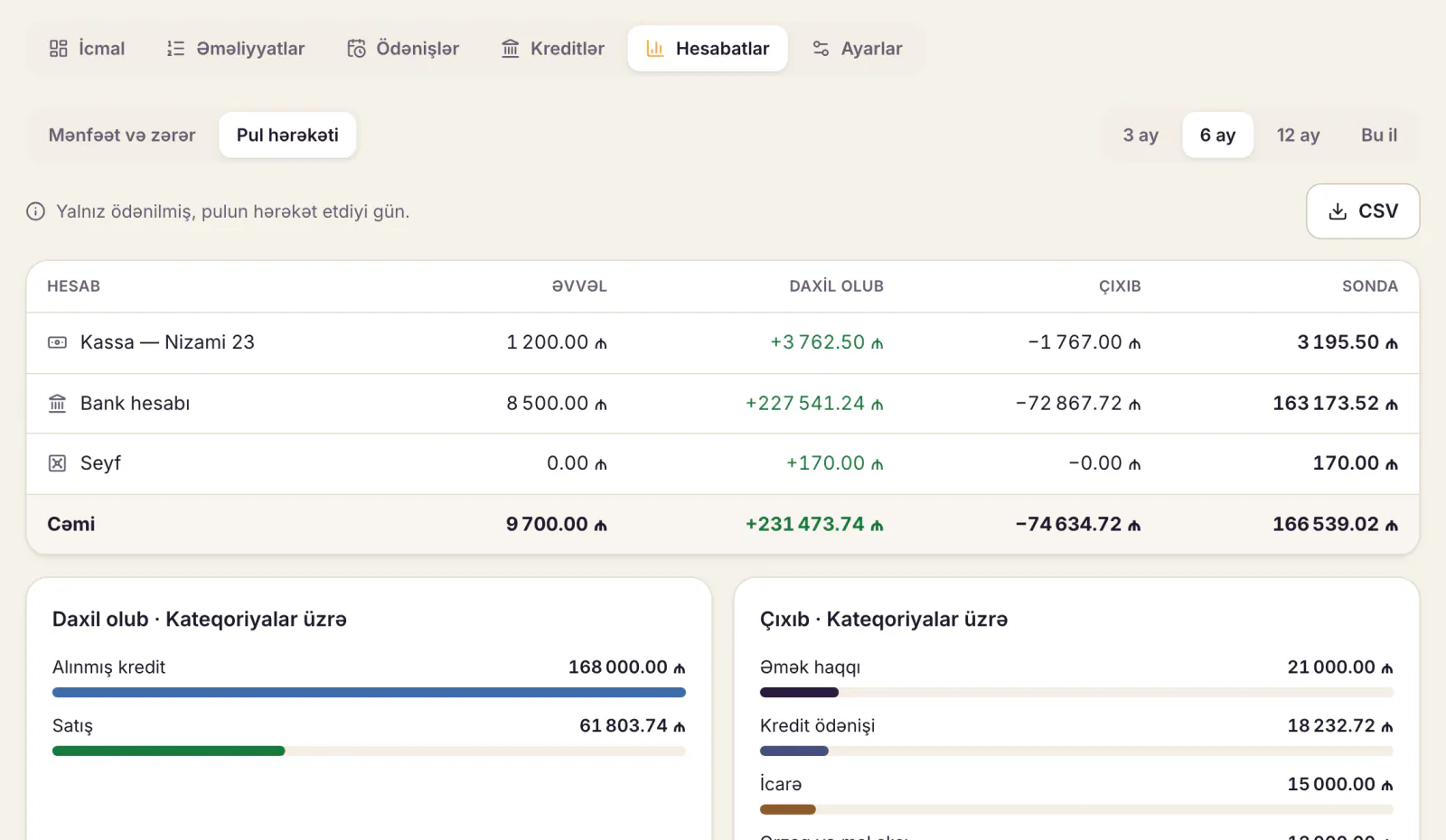
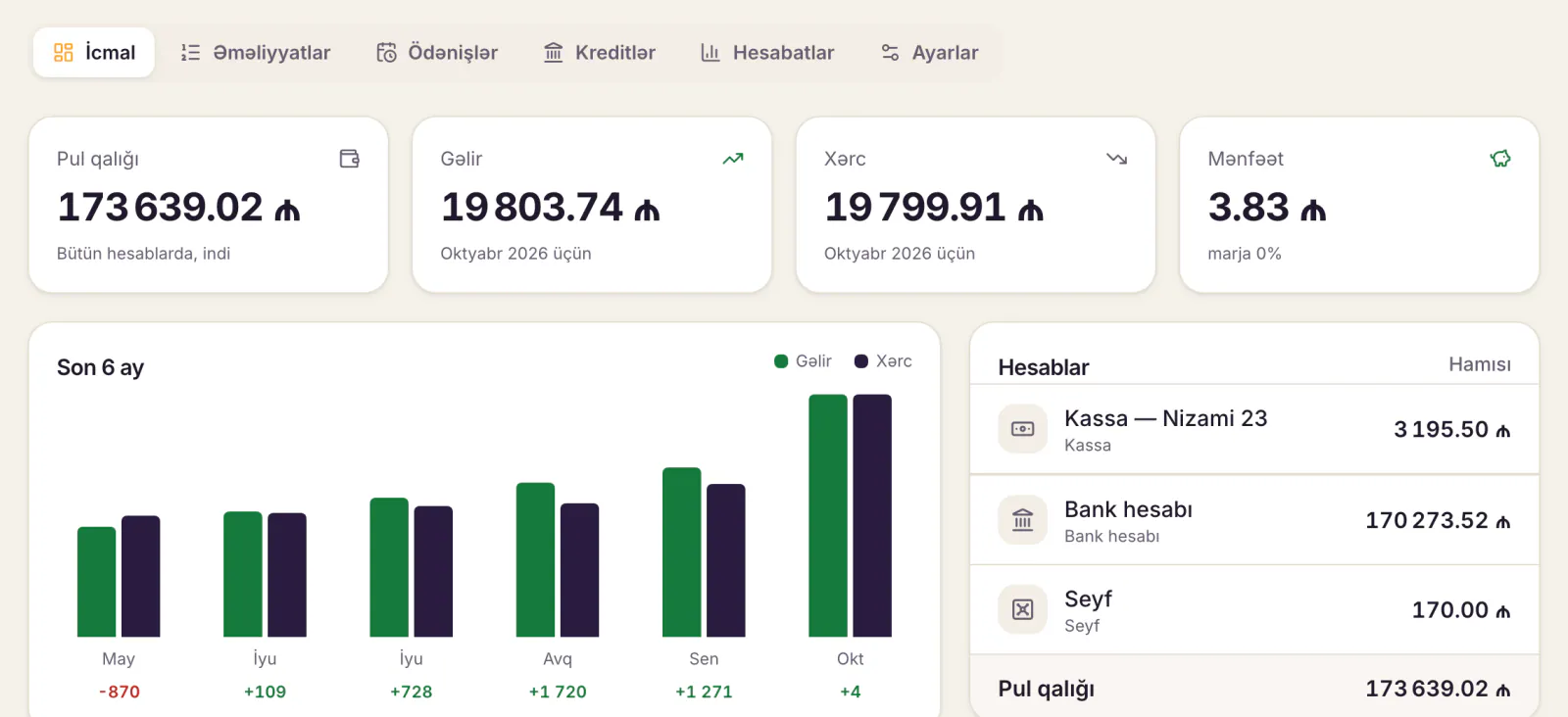
Dishment is a restaurant system: till, kitchen display, inventory and recipe cards, staff and reports. Its Finance module is management accounting for the owner:
- when the day closes, till sales come in as income by themselves;
- with Inventory and Staff and payroll switched on, stock receipts and payroll land under To pay automatically;
- recurring payments such as rent, internet and utilities appear every month, and loan schedules and interest are calculated for you;
- account balances, profit and loss and cash flow are shown by month and by venue.
It is not accounting software: official bookkeeping and tax reporting are kept separately. Dishment doesn't integrate with the NKA or with accounting software; it works alongside them. The figures your accountant needs, such as sales, ingredient consumption, cost of goods sold, the payroll sheet and expenses, export to CSV. Prices are on the pricing page.
Common mistakes
- Expecting daily restaurant numbers from accounting software. A figure that arrives after month end is too late for daily decisions.
- Treating the restaurant system as your books and going without an accountant. Returns, contributions and the balance sheet still have to be done.
- Handing over documents in one pile at month end. A lost invoice breaks both your stock and the official books.
- Not reconciling management and fiscal revenue. The gap grows day by day and gets harder to explain.
- Keeping official books in Excel. There is no change history and errors are hard to find.
FAQ
What types of accounting software are there?
Desktop accounting systems, cloud services, the software your accounting firm uses, and plain Excel spreadsheets. Decide which suits you together with your accountant.
Can restaurant software replace accounting software?
No. A restaurant system handles orders, stock and management numbers; tax returns, contributions and the balance sheet belong to bookkeeping.
Can accounting software replace a restaurant system?
No. It has no tables, orders, kitchen or recipe-based stock deduction with every sale. You need a restaurant system to run the day.
Does a small cafe need an in-house accountant?
Not necessarily: many cafes outsource their bookkeeping. The accounting and reporting duties stay the same; someone else carries them out.
Is free accounting software safe to use?
Free and trial versions exist; download them from the vendor's official site. Unlicensed copies don't get updates and can miscalculate after tax changes.
DISHMENT
Try it free for 30 days
We open the account and move your menu over together. No card needed.
30 days free